
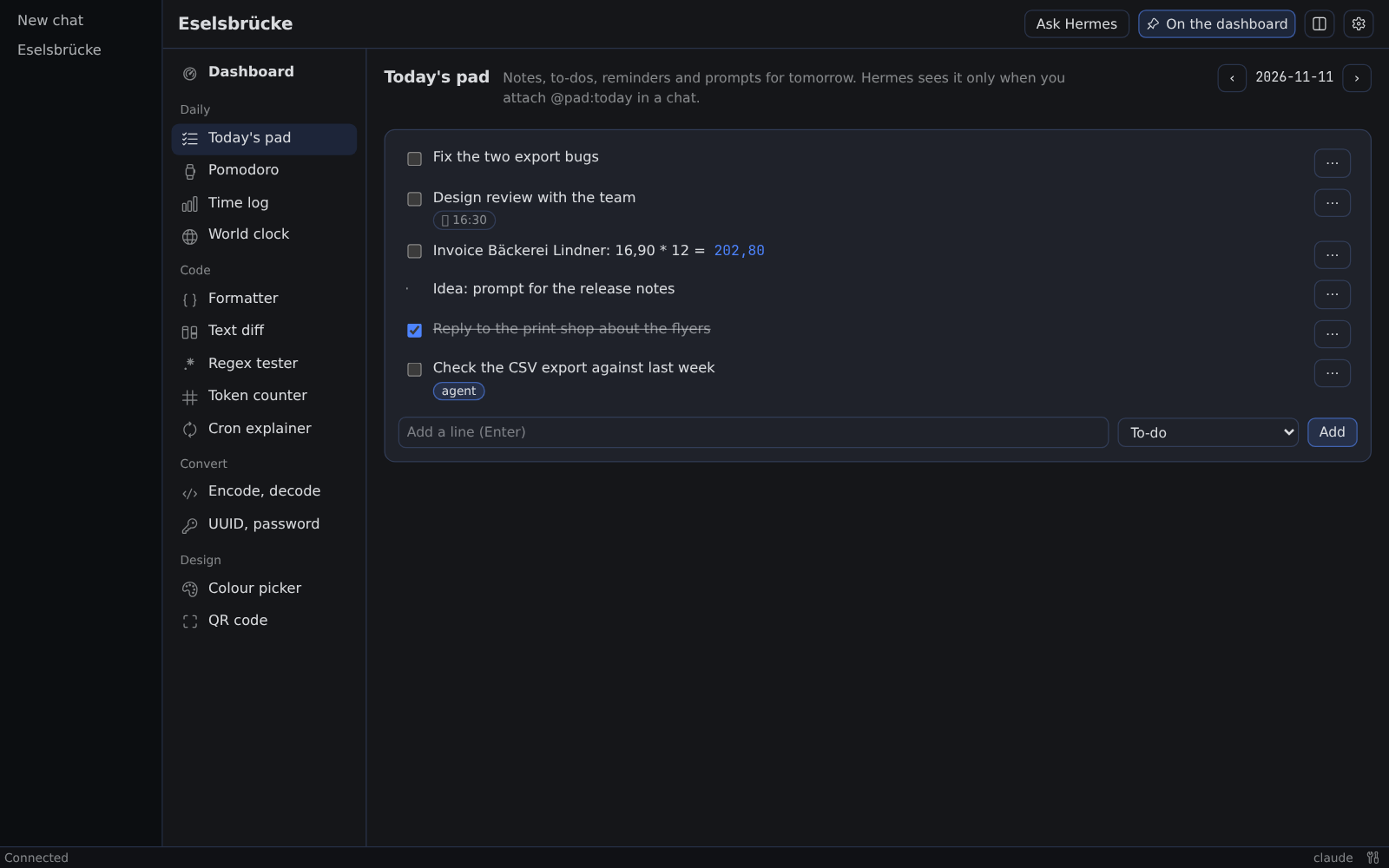
A today pad that rolls over
Short notes for today. Unchecked lines move to tomorrow, a line can remind you at a time, and a line ending in = shows its result. Your agent sees the pad only when you attach it with @pad:today.
Small helper tools that your agent uses too.
A helper toolbox for Hermes: a dashboard, a today pad, a pomodoro, a billable time log, a world clock and small tools, each with its own switch, that your agent can call for exact answers.
hermes plugins install https:/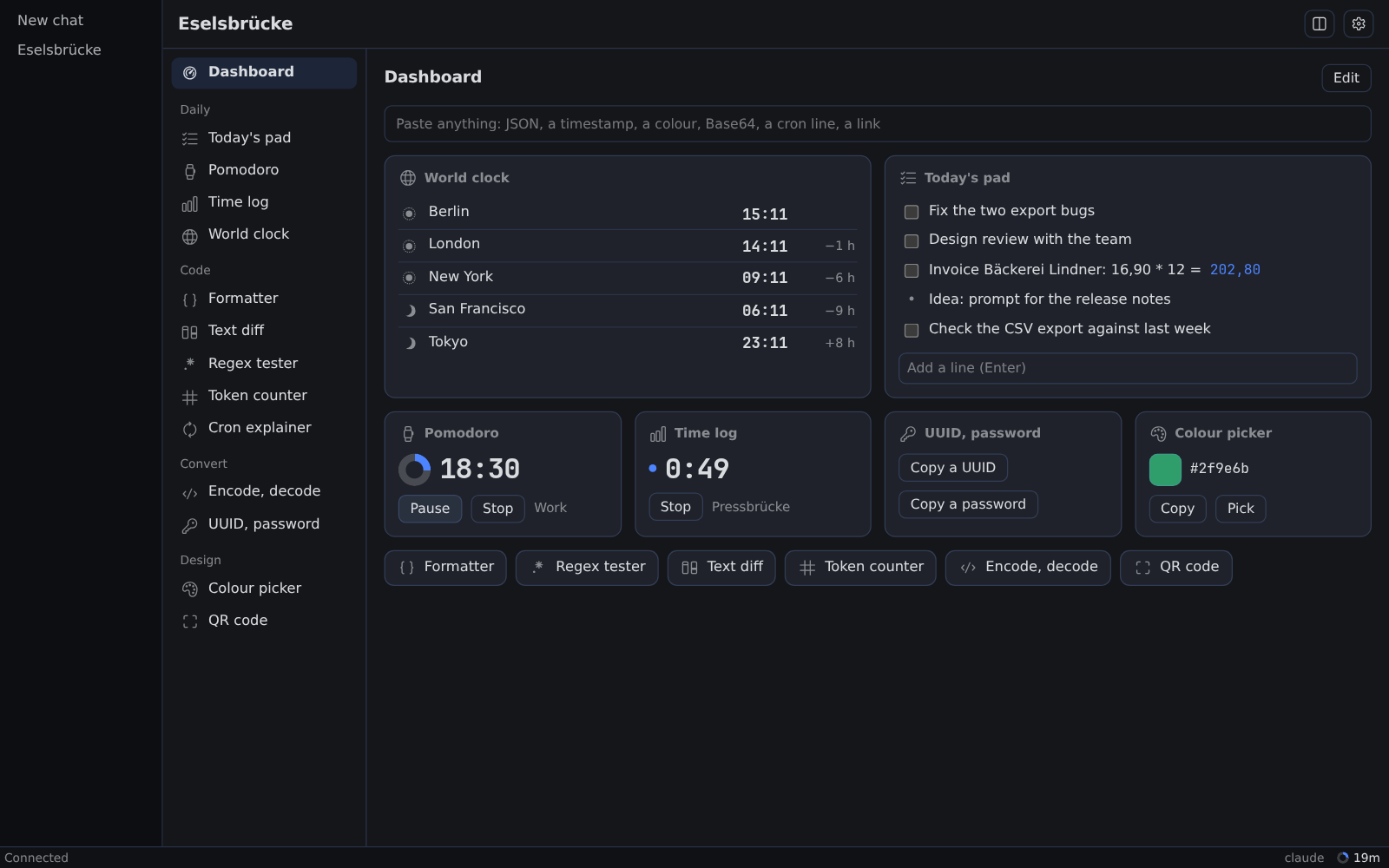
Short notes for today. Unchecked lines move to tomorrow, a line can remind you at a time, and a line ending in = shows its result. Your agent sees the pad only when you attach it with @pad:today.
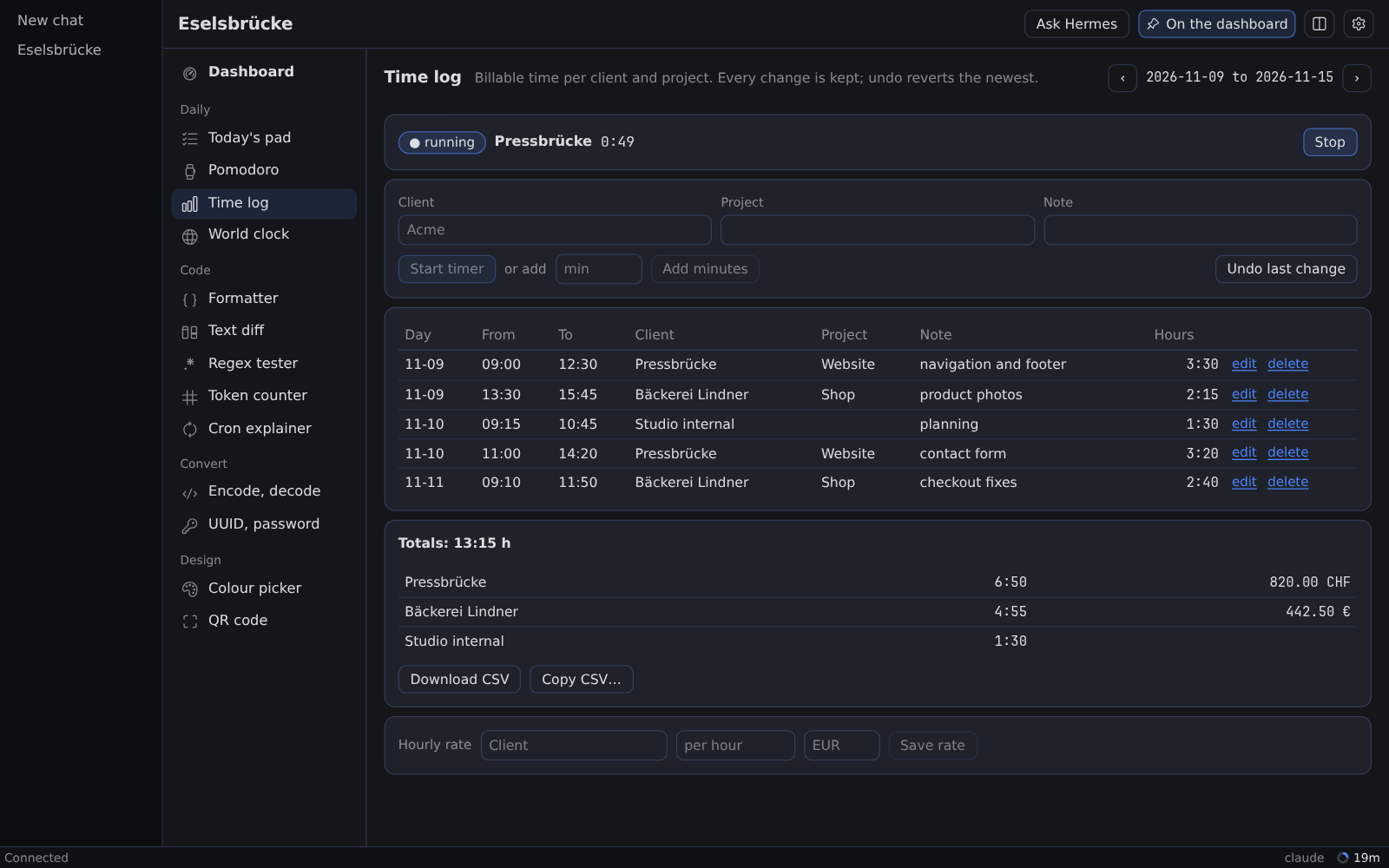
Timers per client and project add up to weekly totals and amounts at your hourly rate, with a CSV export, and every entry change can be undone. The pomodoro moves from work to break without a click.
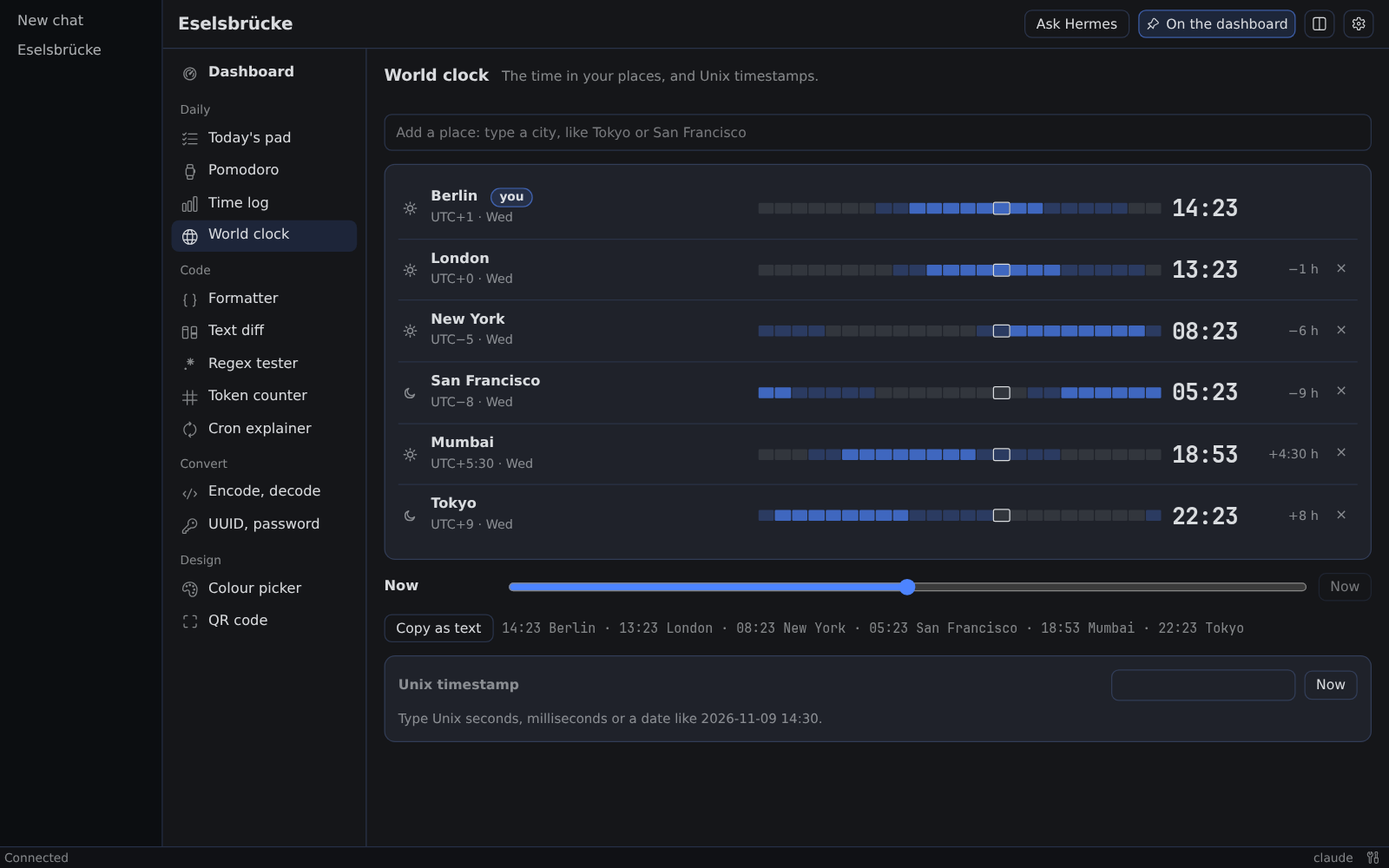
Search a city to add it. Each place shows its time, its offset from you and a bar of working hours. A slider moves every row to another time, and Copy as text gives one line for a message.
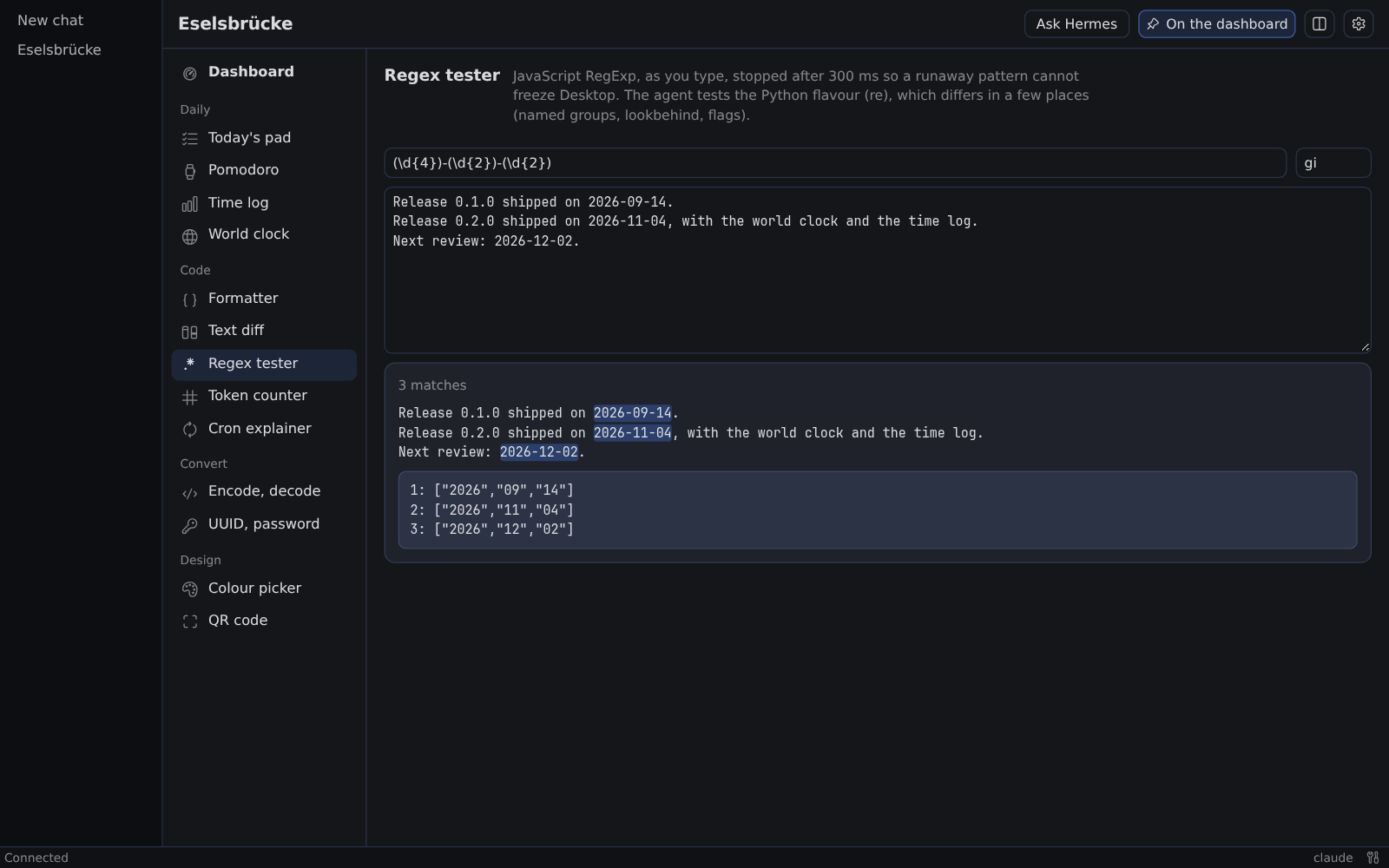
Your agent calls the same tools, so its arithmetic, conversions and formatting come out exact instead of guessed. Every tool page has an Ask Hermes button that drafts the chat for you.
Install it where Hermes runs.
hermes plugins install https:/Hermes on a server and Desktop on your laptop? Install it on the server as above, and on the Desktop computer with:
hermes plugins install https:/In Hermes Desktop, open Capabilities → Plugins, press Rescan and switch the Desktop half on, then open Eselsbrücke in the sidebar.
Keep the tools you want on the first card and press Done. The dashboard opens with your tools, and Cmd+Shift+E brings it back.
Hermes 0.23 or newer, and Hermes Desktop 0.23 or newer for the Desktop half. Nothing else: no account, no credentials.
Eselsbrücke is the German word for a memory aid: a little bridge that gets you across.
Partly. Your agent can use the pad, the timers, the time log and the small tools, and @pad references work in any chat. The dashboard, the tool pages and the status-bar chip need Desktop.
In both places, on the same version: on the server for the tools, the routes and the alert job, and on the Desktop computer for the Desktop half. With Hermes and Desktop on one computer, one install covers both.
Nothing from the plugin. What the agent reads from a tool, or a pad you attach, enters its context and reaches your model provider like any tool result.
Yes. Every tool has a switch in the plugin's settings. A switched-off tool leaves the agent's tool list in the next chat, and every change is saved as a version you can restore.
Run hermes plugins update eselsbruecke where Hermes runs and on the Desktop computer. Then switch Agent in off and on in Capabilities → Plugins, and start a new chat.
Run hermes plugins remove eselsbruecke. If alerts while Desktop is closed were on, also remove the eselsbruecke-alerts job with hermes cron list and hermes cron remove.
Eselsbrücke is open source under MIT. Issues, ideas and pull requests are welcome on GitHub.